IoT: Xmas Lights
Since we started our “smart home, but be smart about it” project, I’ve had it stuck in my mind that Christmas lighting was one of the stand-out applications for this stuff. Our usual stuff involves in the morning, switching on (usually by crawling somewhere inconvenient) strings of lights, and then pushing a button to cycle through the program because it never remembers the one you want and typically starts with something absolutely assaulting like “strobe all colors at maximum brightness and 2Hz”.
So while shopping for a replacement fluro tube, I decided to pick up a set - after all Sabriena’s already ordered a new Christmas tree because she saw one she liked, so why not. The ones I got are Arlec Smart 800 LED Bud Light (model number appears to be LVE800HA), and they were about $50AUD. Upon arriving home and discovering that one of the tubes was broken, I decided to test these, and while I was at it make sure they’d do what I want.
So it was the usual process for our stuff, switch my mobile to the IoT WLAN, hold the button on the lights to set it to pairing mode, open the Tuya Smart app, pick “add new lighting” and off we go. They showed up, with an absolutely dogshit control interface, but they worked. Next up, configure it in LocalTuya, and now that was an exercise. After some trial and error, I have all the functions I want from it:
Add new device, pick LVE800HA. Set friendly name, all other settings defaults (version 3.3), it should pick up the device ID and local key for you. Now I need to set up each of the functions as their own entities or whatever, because localtuya makes a lot of assumptions about what a “light” does and these lights don’t act exactly the same:
-
First device is Light I called this “Xmas - Tree”. ID is
1. Brightness is107. Min/max is10and100. You can set a lower maximum, but they will flicker. As mentioned later, I’m on the fence on whether Brightness shouldn’t be it’s own “number” entity instead. -
Uncheck “do not add more entities” and add the next platform as “select”. ID is
101. Friendly Name: “Mode”, Valid Entries:1;2;3;4;5;6;7;8. User Friendly Options:Flash;Twinkle;Alternate;Breathe;Strobe;Flash (Fast);Flash (Slow);Constant. These are my descriptions for the programs, Arlec do not provide any. -
Uncheck “do not add more entities” and add the next platform as “select”. ID:
109. Friendly Name:Color (Constant Mode). Valid Entries:1;2. User Friendly Options:White;Color -
Uncheck “do not add more entities” and add the next platform as “number”. ID:
108. Friendly Name:Transition Speed. Min:20(GridConnect addon to Tuya Smartlife only goes this low, I can set it to 1 though). Max:150- I didn’t test if you can set this higher.
For my own convenience, here’s a short list of the functions to ID numbers:
1: Master on/off. 101: Setting/mode number (rowBox, same as pressing the button to cycle through) 107: dimmer (10 to 100) 108: transition speed, 20 (slow) to 150 (fast) 109: color (2) vs white (1)
This gives me all the (limited) functionality of the default app. Next up, set up a “Christmas” dashboard, and add a new card to it. Here’s my card:
type: entities
entities:
  - entity: light.xmas_tree
    icon: mdi:string-lights
    secondary_info: brightness
  - entity: number.transition_speed
    icon: mdi:speedometer-slow
  - entity: select.mode
  - entity: select.color_constant_mode
    icon: mdi:palette-outline
title: Xmas - Tree
It’s unfortunate you have to click into the light to set the brightness, since I can’t bury everything else in there, but we may not keep all those settings anyway… I’m pretty sure we will just configure it on a timer to come on on the programme we want and then go off after bedtime.
Anyway, I’m not sure I can really rave about the quality of this device… it’s extremely bare minimum effort. It’s literally the same as any other LED string light, with a Tuya controller speaking to the microcontroller to set the modes instead of just a pushbutton to cycle through them.
I did find someone else who managed to hack their own ESP controller to it that grants full RGB access, and that looks really interesting but with lighting stuff I’m trying really hard to stay away from having to do this (ideally I do not want to modify anything). But it’s tough to say whether this is worth $50AUD or not!
 fwaggle
Published:
Modified:
Filed under:
Location:
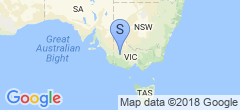
Horsham, VIC, AustraliaNavigation: Older Entry Newer Entry