Font Awesome minification, Take 1
As mentioned when I switched over to PicoCSS as a CSS framework for this site’s theme, unless I include an image on one of the first X (where X is currently 4) most recent posts on the front page, by far the biggest inflator of my site’s transferred size is CSS and fonts related to Font Awesome. I only use about 7 of the glyphs from two sets, but that results in me loading 600KB (uncompressed) of fonts for glyphs I don’t care about, along with a pile of extra CSS (to the tune of about another 180KB uncompressed). Of course, gzip or brotli does a fine job of compressing this, but that’s not the point, damn it.
Naturally, they offer a subsetting feature, which requires their Pro plans or higher, and that’s $120/year… much more than I need to spend, I feel like that’s more intended for designers and so on who will use it frequently.
But I can do it myself right? Near as I can tell, the icons are CC-BY, the fonts are SIL OFL, and the CSS is MIT-licensed. So as long as I don’t call it something else and pretend it’s not Font Awesome, I think I’m in the clear to modify and redistribute the files? So I think legally and ethically I’m good.
But what about technically? Turns out it’s fairly easy on the font side of things:
# Set up fonttools
python -m venv venv
source venv/bin/activate
pip install fonttools

# Build the regular FA set
fonttools subset ~/src/fwaggle.org/themes/pico/static/webfonts/fa-solid-900.ttf \
--unicodes=U+F00B,U+F13E,U+F02C,U+F1B9,U+F11B,U+F6FF,U+F007,U+F062 \
--layout-features='*' \
--output-file=/home/fwaggle/src/fwaggle.org/themes/pico/static/fonts/fa-regular-fwaggle.ttf

# And the four from fa-brands I use as well.
fonttools subset ~/src/fwaggle.org/themes/pico/static/webfonts/fa-brands-400.ttf \
--unicodes=U+F4F6,U+F09B,U+F1B6,U+F08C \
--output-file=/home/fwaggle/src/fwaggle.org/themes/pico/static/fonts/fa-brands-fwaggle.ttf
First of all, note that fonttools doesn’t normalize the ~ so you have to specify the full path to your file.
Grabbing the lists of glyphs is a little bit repetitive but otherwise trivial. They’re referenced as say "\f00b" in CSS, that corresponds to U+F00B (not sure capitalization is required, but I did it anyway), and then it’s just a comma separated list. Depending on your OS, you might be able to read them in the little square if it’s an undefined glyph too.
I’m not actually sure the ligatures etc (--layout-features='*') are required, but I’m fairly sure they’re not already defined in the font anyway so leaving it in there doesn’t hurt anything.The result is a pair of minimal font files that are about 5KB combined. I wonder if it’s possible to concatenate them into a single font file? Doesn’t matter though.
Next up, hacking up the CSS. First, I removed any references to the WOFF2 format (I could subset those too, but meh, it works with just TTF format) and updated the URLs to my changed files.
Then, I went through and hacked out all the transitions - I don’t use them, honestly I didn’t know they were a thing, and they weigh about 80KB of uncompressed CSS on their own.
The rest of it is scaffolding, which breaks if you remove it, and definitions of individual styles that reference the unicode codepoints that the glyphs occupy, like this:
.fa-list::before {
  content: "\f03a"; }
As you can imagine, they’re not very big, but what I could do is go through and throw all those away and only keep the ones I’m using. But do I care? I’ve gone from 600KB to less than 100KB. I could potentially get that down a bit but I’m skeptical I’ll get it below 50KB. I’m fairly sure my front page is under half a megabyte now if there’s no photos.
And I don’t think I’ve broken anything, but we’ll see when I push it to the live site (it works locally anyway).
 fwaggle
Published:
Modified:
Filed under:
Location:
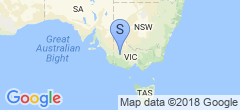
Horsham, VIC, AustraliaNavigation: Older Entry Newer Entry